
Kanban Backlog: How It Works and Stays Short
Updated at
The Answer
Kanban has a backlog, and it sits to the left of the board as an ordered list of work the team has not started. What differs from a scrum product backlog is the queue between it and the board: kanban puts a short, capped “ready” or “to do” column in between, holding only a handful of items that have been refined enough to start. The backlog itself can be as long and messy as you like, since nothing is committed until an item is pulled into that queue. Ordering matters at the top and almost nowhere else, which is why kanban teams spend far less time refining items they may never start.
Does Kanban Have a Backlog?
Yes, though nothing in the method requires one. Kanban prescribes the practices (visualise, limit WIP, manage flow) and says nothing about where unstarted work lives, so the backlog is a convention rather than a rule. In practice every team has one, because work has to queue somewhere before it enters the board.
Two common setups:
- Backlog kanban board. The backlog lives as the leftmost column, visible alongside everything else. Simple, and fine while the list stays short.
- Backlog outside the board. A separate list, with only refined items promoted onto the board. Better once the list runs past a few dozen items, since a board with two hundred cards in the first column stops being scannable.
Jira’s kanban backlog is the second pattern with tooling around it. Kanbanee keeps the backlog as a board column, which suits small teams and gets unwieldy past a point where you would want a dedicated list.
Kanban Backlog vs Scrum Product Backlog
| Scrum product backlog | Kanban backlog | |
|---|---|---|
| Owner | The product owner, formally | Whoever prioritises, no required role |
| Refinement | Recurring event, often bulk | Just before pulling, item by item |
| Commitment point | Sprint planning, for a batch | When a single item is pulled |
| Ordering depth | Usually refined several sprints out | Top few items, the rest loosely ranked |
| Estimation | Story points, commonly required | Optional, often dropped |
| Feeds | The sprint backlog | A short capped ready queue |
The row that changes daily behaviour is refinement. Scrum refines in advance because the sprint needs a plannable batch ready at planning time. Kanban refines at the last responsible moment, which means less work spent detailing items that get reprioritised before anyone starts them.
The Ready Queue
The most useful structural idea in kanban backlog management is a small capped column between the backlog and active work. Call it Ready, To do, or Next.
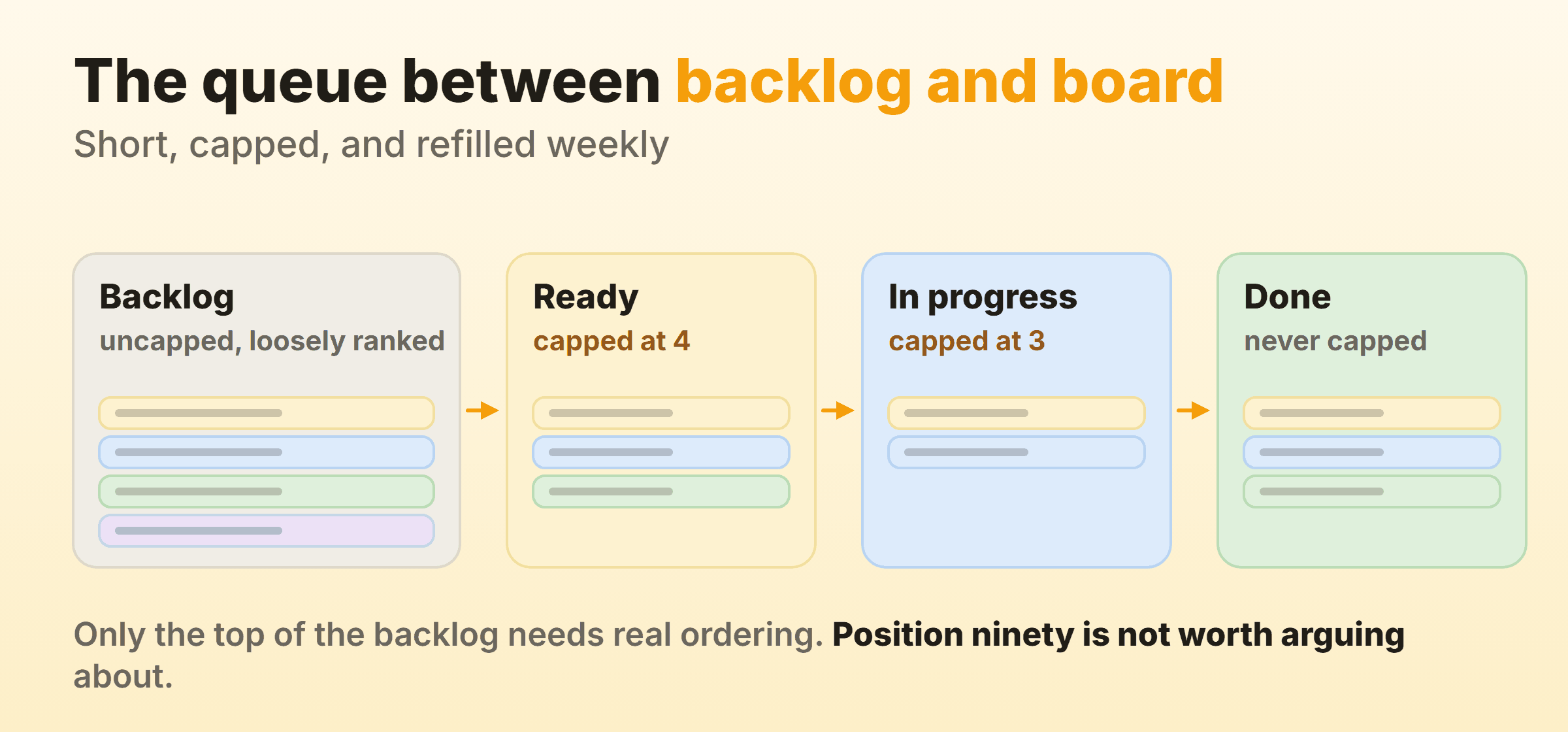
It holds items that are refined enough to start: the requirements are clear, dependencies are known, and anyone on the team could pick one up without a conversation first. The cap is usually small, often around the same size as your in-progress limit.
Two things this buys you:
- A clear commitment point. Moving an item into Ready is the moment the team says this is genuinely next. Everything to the left is a candidate.
- A trigger for replenishment. When the queue drops below its cap, that is the signal to refill it, which is what the weekly replenishment meeting is for.
Without the queue, the board pulls straight from an unrefined backlog and someone spends the first hour of every item working out what it means. Kanban planning covers how replenishment works and how often to run it.
Keeping the Backlog From Becoming a Junk Drawer
This is the failure mode I see most often, and kanban is more vulnerable to it than scrum. A sprint forces a periodic confrontation with the list. A flow system does not, so a backlog can quietly grow to a thousand items over a year while nobody ever deletes anything.
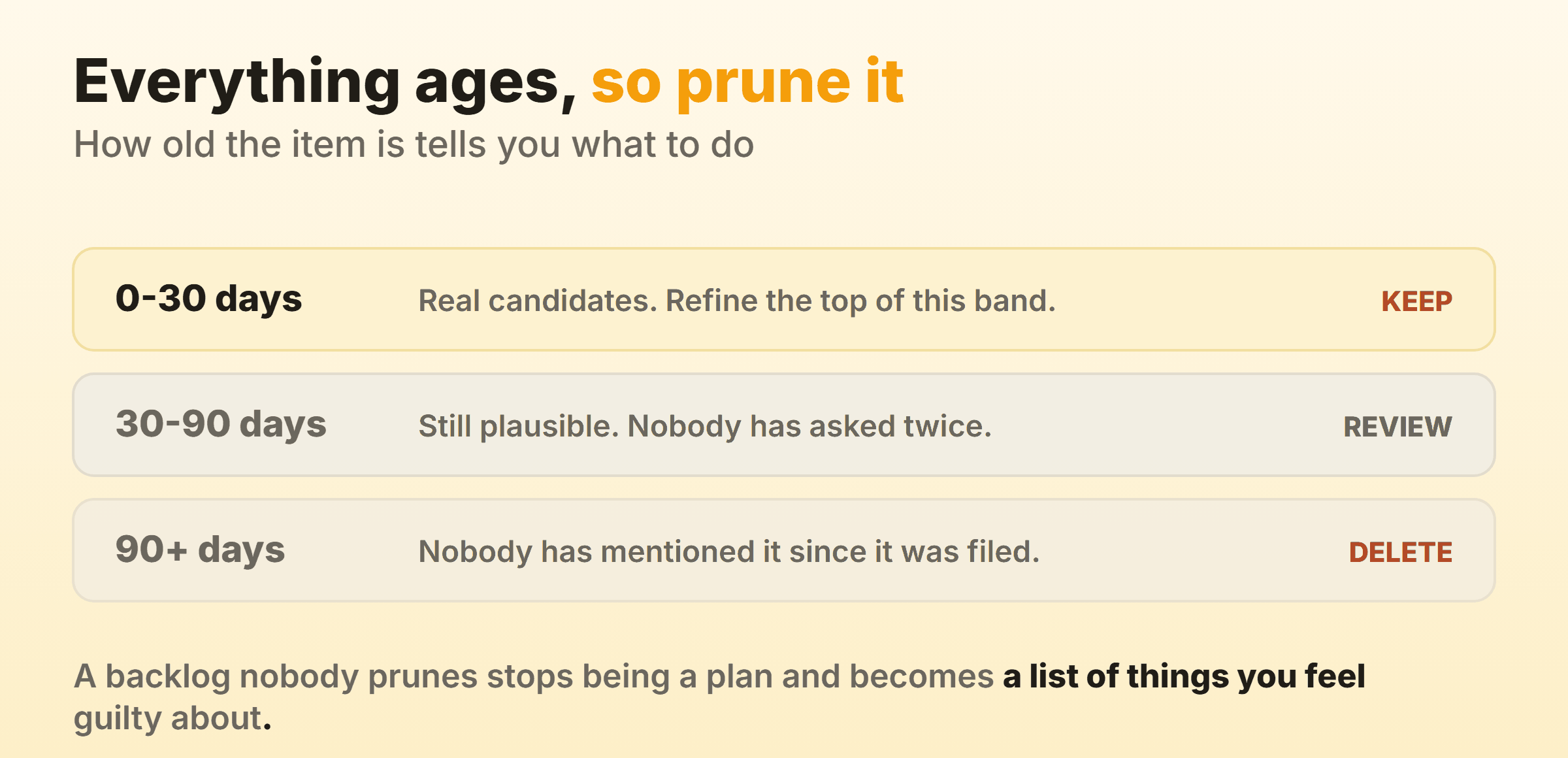
Three habits that keep it honest:
Order only the top. The top ten need to be genuinely ranked. Below that, rough grouping is enough, and precise ordering of item ninety against item ninety-one is wasted effort.
Delete aggressively. An item nobody has pulled in six months is telling you something. Archive it. If it matters, it will come back, and it will come back better specified.
Cap it, or at least review it. Some teams put a hard limit on backlog size, which forces a delete for every addition. Softer version: a monthly pass where anything older than a quarter gets closed unless someone argues for it.
The test is whether anyone can find the most important unstarted item in under a minute. If not, the list has stopped being a backlog and become an archive with aspirations.
User Stories, Epics and Story Points
Kanban is silent on all three, so this is a matter of what your team finds useful rather than what the method requires.
User stories. Plenty of kanban teams keep them, because “as a user I want X so that Y” is a decent format for capturing intent regardless of framework. Others write plain task descriptions. Neither is more correct.
Epics. Useful as a grouping mechanism when work spans many cards, and most tools support a parent-child relationship or a label. The kanban-specific consideration is that a large epic sitting in progress for two months distorts your cycle-time data, so split it into items that finish independently.
Story points. Least likely to survive. Points exist to fill a sprint with a plannable amount of work, and without a sprint the main use disappears. Teams that keep estimating usually shrink it to rough size buckets, and teams that drop it forecast from cycle time instead.
The kanban-flavoured concern about all of these is item size consistency. Cards that vary from an hour to a month make throughput noisy and cycle time hard to read. Whatever format you use, splitting work into roughly comparable pieces improves the numbers more than any estimation technique does.
How the Backlog Connects to the Board
Work flows backlog to ready queue to the first active column, and the WIP limits govern how fast. The backlog is uncapped, since a long list of candidates costs nothing, and everything from the ready queue rightwards is capped, since that is where work in progress starts accumulating. Kanban columns covers how to structure the rest of the board, including when a queue column earns its place.
One policy worth writing down explicitly: what qualifies an item to move from backlog to ready. Teams that leave this implicit end up with half-specified work entering the board and stalling in the first column, which shows up in the data as a cycle time that looks worse than the team’s actual pace.
FAQ
Should the backlog be a column on the board?
For a small team with a short list, yes, since it keeps everything in one view. Once the list runs past roughly fifty items, move it to a separate view and promote only refined items onto the board.
Who owns the kanban backlog?
Kanban requires no roles, so whoever prioritises for your team owns it. That is often a product owner or manager, and on small teams it is frequently a shared responsibility with one person breaking ties.
How is the kanban backlog different from a to-do list?
Mainly by ordering discipline and the ready queue. A to-do list is a set of things someone might do, and a kanban backlog is ordered by priority with an explicit commitment point where an item becomes genuinely next.
Does kanban replace backlog refinement?
No, it relocates it. Refinement happens continuously and closer to the point of pulling, rather than as a scheduled bulk event, so less time goes into items that never get started.