
Kanban Board Columns: Naming, Count and Queues
Updated at
The Answer
Kanban columns are the vertical lanes on a board, each representing one stage work passes through, and cards move left to right as they progress. Start with three (To do, Doing, Done), then add a column only when work genuinely waits somewhere that the board currently hides. Name them after what happens to the work rather than who does it, keep the total between three and seven for most teams, and put a WIP limit on any column where cards collect. The single most useful addition to a basic board is a queue column between two active stages, because that gap is where cycle time quietly disappears.
What Are Kanban Columns?
A kanban column represents one stage in your workflow, and every card sitting in it is at that stage right now. The board reads left to right, from work not yet started to work finished, so a glance across it tells you where everything currently is.
Kanban board columns go by several names depending on the tool. Kanban statuses, kanban board statuses, kanban categories, kanban board categories, stages and buckets all describe the same thing, and Jira calls them columns while mapping each one to an underlying status. Nothing important changes with the label.
What matters is that the columns describe your real process. A board whose columns came from a template shows you somebody else’s workflow, which is worse than useless because it looks authoritative while hiding where your work actually waits.
The Three-Column Starting Point
To do, Doing, Done. Almost every board starts here, and for a small team it is often enough for months.
- To do is committed work not yet started, ordered so the top item is next.
- Doing is work actively being worked on right now. This is the column that needs a cap.
- Done is finished work, usually cleared periodically to keep the board readable.
The variants people search for (to do, in progress, done, or backlog, doing, complete) are the same three stages with different labels. Pick the words your team already uses out loud.
Resist adding more on day one. A board with nine columns and no WIP limits looks sophisticated and does nothing, whereas three columns with a cap on the middle one changes behaviour in a week. If you only make one change to a basic board, make it a WIP limit on Doing.
When Should You Add a Column?
Add a column when work is genuinely waiting in a state the board does not show. That is the only good reason, and it rules out most of the columns teams are tempted to add.
Three signs it is time:
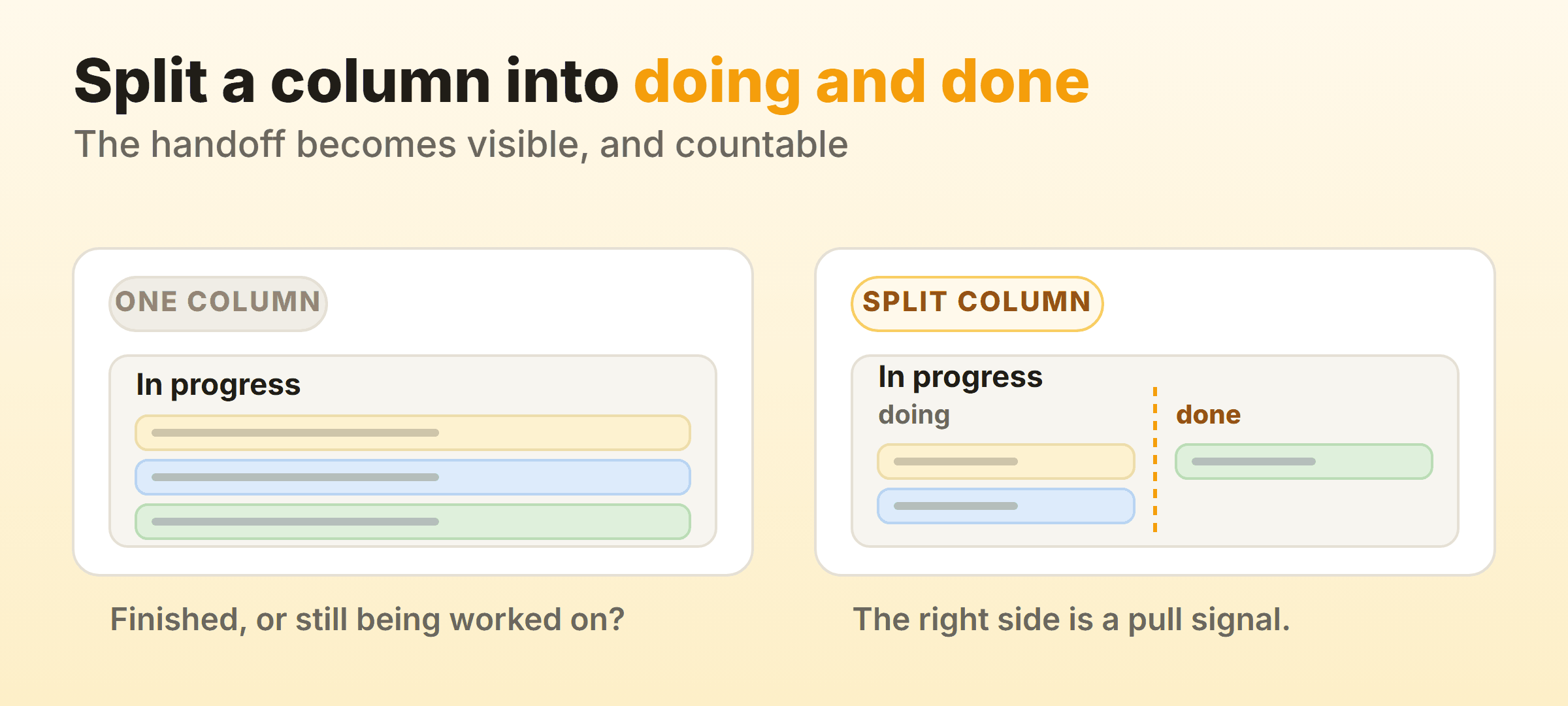
- Cards sit in Doing without anyone doing anything. They are waiting for review, for a deploy window, for a customer reply. That waiting deserves its own column, because the board is currently telling you six things are being worked on when three of them are parked.
- Two different kinds of work happen inside one column. Writing and editing, or building and testing. Splitting them shows you which half is slow.
- Handoffs cause repeated confusion. If people regularly ask whether an item is ready for them, the handoff needs to be visible.
A bad reason to add a column: to reflect a job title. A column called Designer describes who touches the card rather than what state it is in, and it breaks the moment two designers work on different stages, or a developer picks up a design task.
Queue Columns and Why They Matter
A queue column holds work that has finished one stage and is waiting to start the next. It is the single most valuable addition to a simple board, because a queue is where cycle time goes to hide.
The usual pattern splits an active column into two:
| Column | Meaning |
|---|---|
| Dev: doing | Someone is actively working on it |
| Dev: done | Finished, waiting for review to pull it |
| Review: doing | Someone is actively reviewing |
| Done | Shipped |
Before the split, a card sitting untouched for four days looks identical to one being worked on. After it, the queue column fills up visibly and the bottleneck names itself.
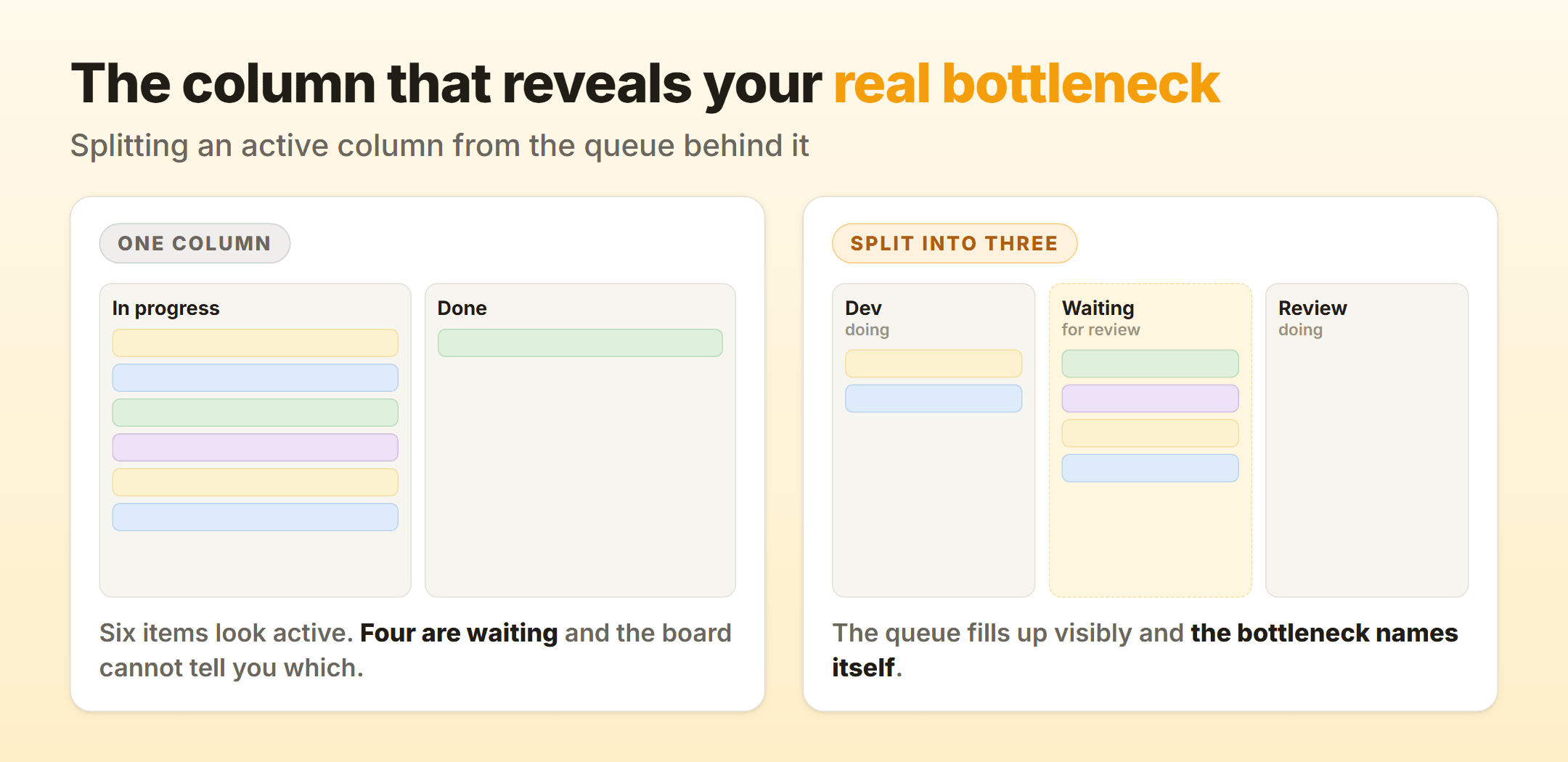 On our own product board the “waiting for review” column is where almost all avoidable delay showed up, and it had been invisible for months because everything was lumped into one In progress column.
Queue columns also change the standup. Walking the board from the right, the first question becomes what would move the oldest card out of the review queue, which is a more useful conversation than a round of status updates.
How Many Columns Should a Kanban Board Have?
Three to seven for most teams. Below three and it is a list. Above seven and the board stops being scannable, cards move in smaller increments than anyone cares about, and the ceremony of dragging things starts costing more than the visibility earns.
Rough guide by team type:
- Personal board: three. To do, Doing, Done. A cap of two or three on Doing does most of the work.
- Small software team: five to six. Backlog, Ready, In progress, Review, Done, with a queue column if review is slow.
- Content or marketing team: five to seven, since the pipeline has genuinely distinct stages. Ideas, Drafting, Editing, Design, Scheduled, Published.
- Support desk: four, kept deliberately shallow because volume is high and each item is short.
If a board has grown past seven, look for two columns where cards pass through in minutes. Those are steps in a process, not states worth tracking, and merging them costs nothing.
Naming Kanban Columns
Name columns after the state the work is in, and use the words your team says out loud. Three rules that hold up:
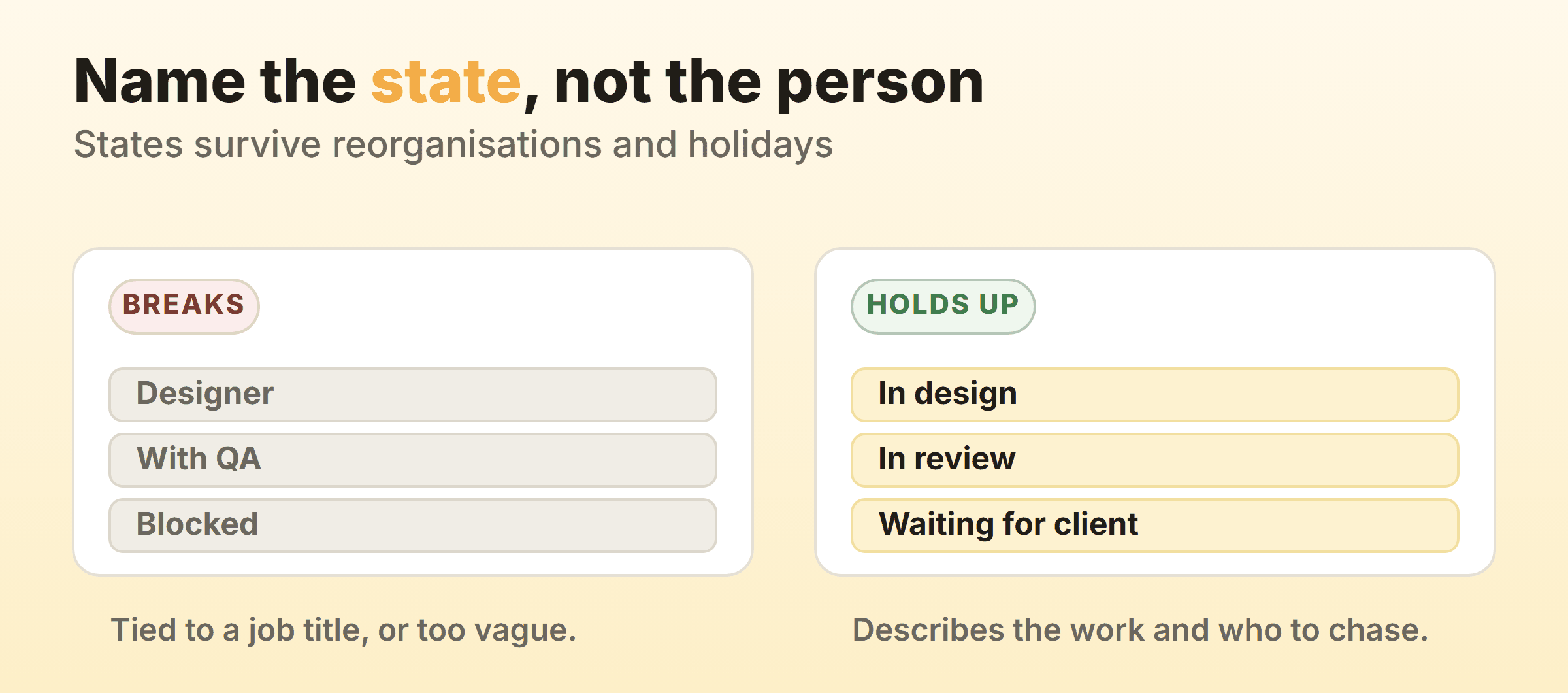
Describe the work, not the worker. “In review” rather than “With QA”. States survive reorganisations and holidays, and job titles do not.
Be specific about waiting. “Waiting for client” beats “Blocked”, because the second is a category and the first tells you who to chase.
Keep Done unambiguous. Done meaning merged, done meaning deployed and done meaning the customer has it are three different columns, and teams argue about this constantly. Write the definition down where the board can be seen. This is one of the explicit policies kanban principles treats as a core practice, and it prevents more confusion than any other rule.
Do Columns Need WIP Limits?
Not all of them, and the ones that do are obvious once you look. Cap the columns where work actively happens and the queues that feed them. Leave To do and Done uncapped, since a long backlog is a prioritisation question and finished work should never be constrained.
A practical starting set for a five-column board: no limit on Backlog, a limit on In progress equal to the number of people who pull from it plus one, the same limit on Review, and nothing on Done. Adjust after a fortnight based on which cap gets hit and which never does. A limit that never turns red is decorative, and one that blocks the team daily is too tight.
FAQ
What is the difference between a column and a swimlane?
Columns run vertically and represent stages of work, so a card moves through them over time. Swimlanes run horizontally and group cards by type, team or urgency, so a card usually stays in one for its whole life. A board can use both, with expedited work getting its own lane across all columns.
Should Done be cleared, and how often?
Clear it on whatever rhythm keeps the board readable, commonly weekly. Archive rather than delete, since the history is what flow metrics are calculated from. Kanbanee keeps completed cards for reporting, so clearing the column does not cost you the data.
Can columns have sub-columns?
Yes, and the doing/done split is the most useful version. Tools vary in how they support it, and where sub-columns are not available, two separate columns achieve the same thing.
What columns should a kanban board have for a small team?
Backlog, To do, In progress, Done covers most small teams, with a Review column added once code or copy regularly waits on someone else. Start there and add only when the board hides real waiting.