
WIP Limits in Kanban: How to Set Them
Updated at
The Answer
A WIP limit (work-in-progress limit) is a cap on how many tasks one column of your kanban board may hold at once. It exists because starting work feels productive while finishing work actually is, and without a cap, “In progress” quietly absorbs everything anyone has ever touched. A good first limit for a small team is the number of people who pull from that column plus one. In Kanbanee, limits are off by default. You switch one on per column from the column settings, and the column’s task counter turns into a current / limit badge that flags red the moment you exceed it.
What a WIP Limit Actually Does
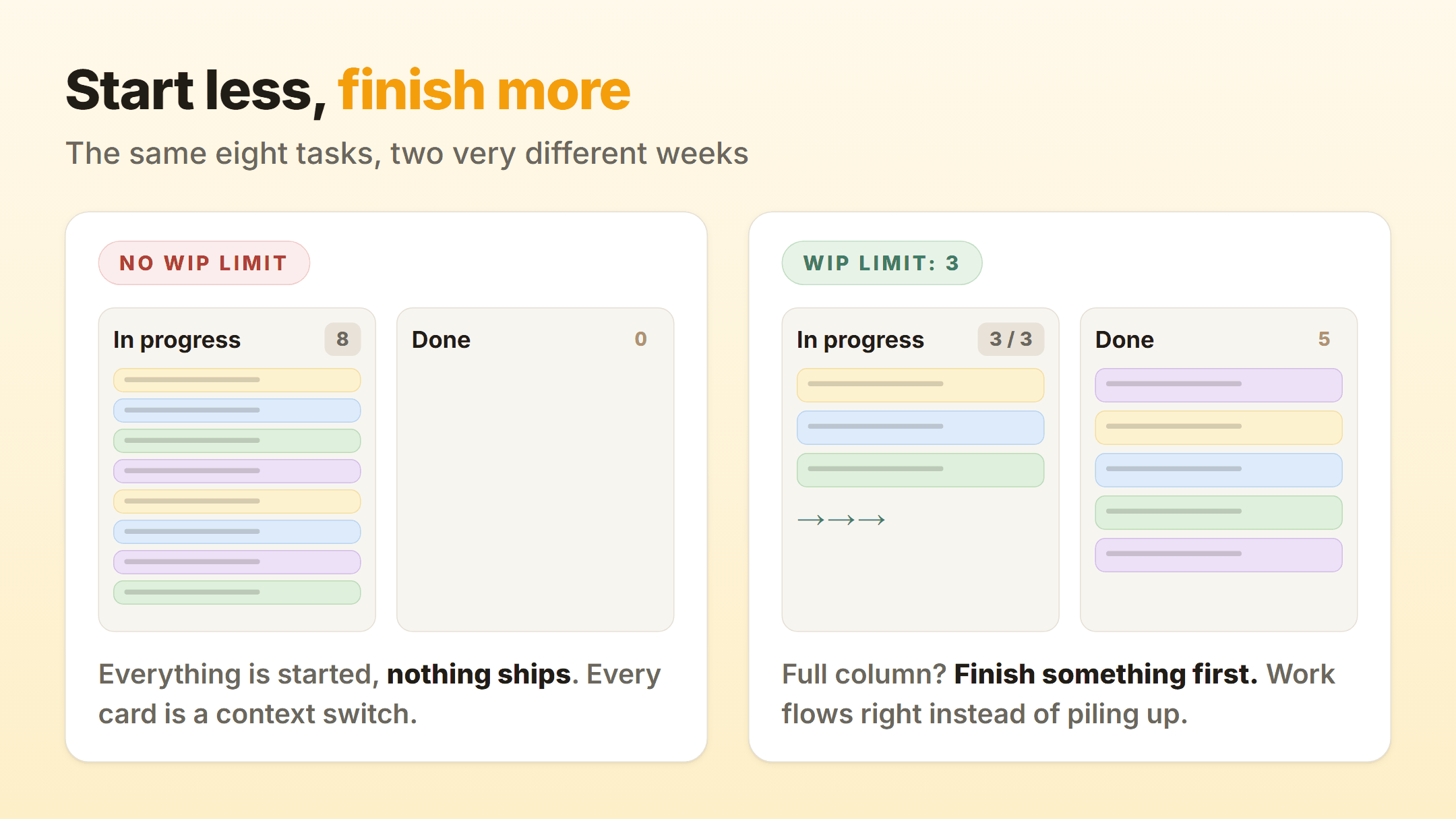
A WIP limit changes one behavior: when a column is full, the next action is to finish or unblock something in it, not to start something new. That single rule has a few knock-on effects that show up within a week or two of using it honestly:
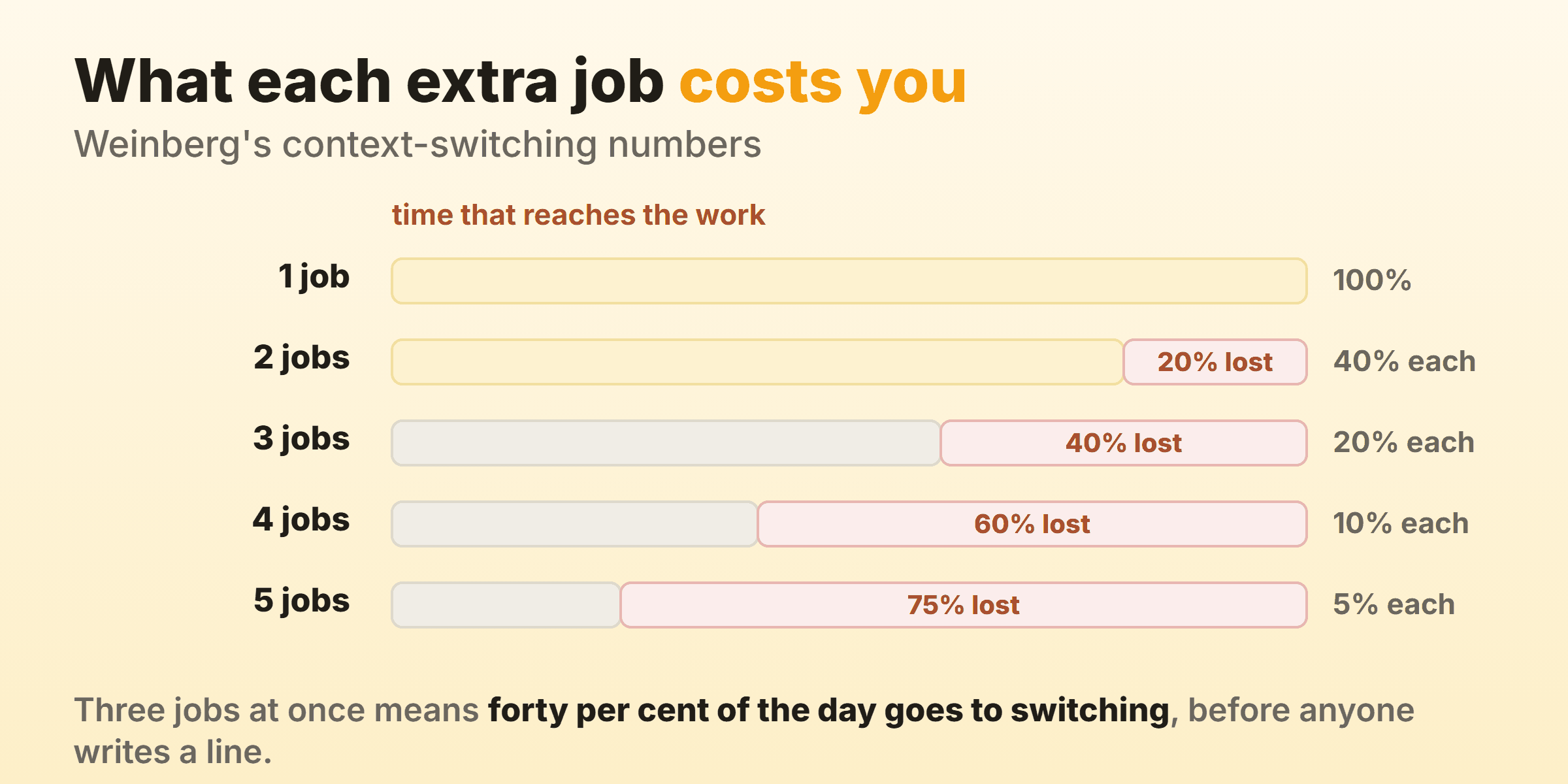
- Cycle time drops. Five tasks worked one at a time finish sooner, on average, than five tasks worked in parallel. Task switching is where the time goes, and flow metrics will show you the difference within a few weeks.
- Blockers surface early. When you cannot start new work, the stuck card in the middle of the board becomes the most interesting thing on it. That is the point.
- The board stops lying. A column with 14 “in progress” cards is not information, it is a junk drawer. A capped column tells you what is genuinely being worked on today.
A limit is a working agreement, not a lock. Kanbanee will not block you from dragging an extra card in - it signals the overflow instead and leaves the conversation to the team, which is how kanban principles intend it to work.
How to Pick Your First Limits
Do not model queueing theory on day one. Start from a simple rule and adjust every week or two based on what the board tells you.
Which columns to cap depends on how your board is laid out, and kanban columns covers designing those in the first place.
| Column type | Starting limit | Why |
|---|---|---|
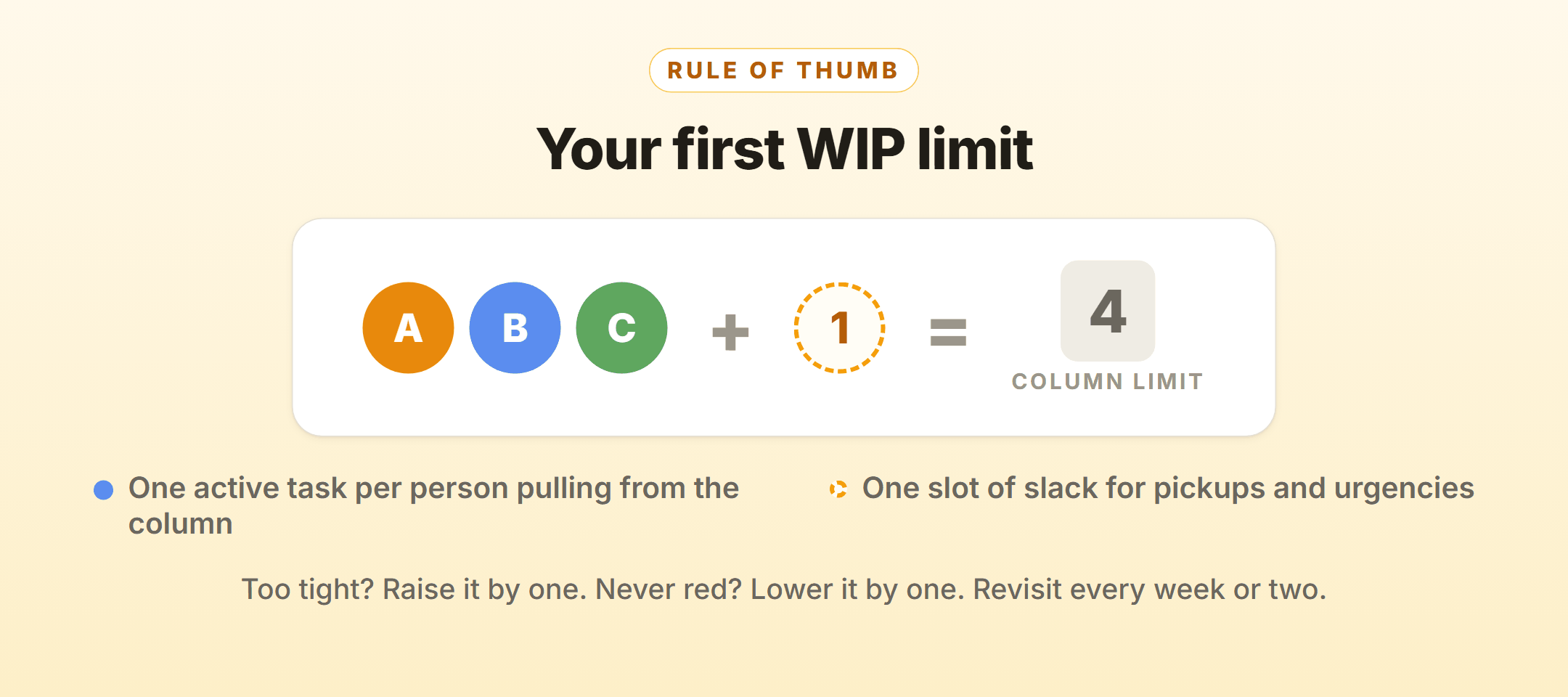
| In progress (the doing column) | people pulling from it + 1 | One active task each, one slot of slack for pickups |
| Review / waiting on someone | same as the doing column | Review queues grow silently; capping them forces reviews to actually happen |
| To-do / backlog | none | Queues are allowed to be long; work-in-progress is not |
| Done | none | Finished work is the one thing you want unlimited |
Two signs your limit is wrong:
- Cards bounce off the cap daily and people idle - the limit is too tight, raise it by one.
- The column is always exactly at the limit and nothing ever flags red - the limit is decorative, lower it by one and see what it flushes out.
Rule of thumb: if your team has never once had the over-limit conversation, the limit is not doing anything yet.
Setting a WIP Limit in Kanbanee
Limits are per column and off by default, so a fresh board behaves like a plain kanban board until you opt in.
- Open the column menu - the ⋮ button in the column header.
- Tick the WIP limit checkbox at the top of the menu.
- Enter the cap (Kanbanee pre-fills 3 as a starting point) and hit Set. The column’s task counter becomes a
current / limitbadge, for example2 / 3.
The badge updates the instant cards move. Go over the cap and it flips to a red 4 / 3 that everyone scanning the board catches immediately:
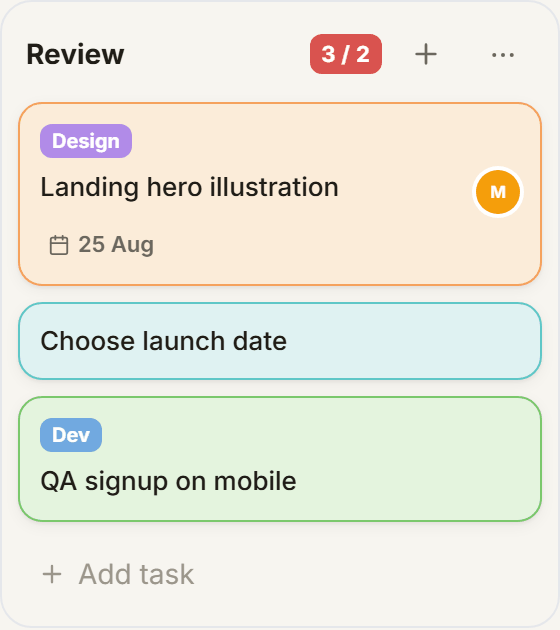
Because the limit is a signal rather than a hard block, drag-and-drop keeps working over the cap - useful for the real-world case where two half-done tasks genuinely belong in progress while a third gets pulled in for a production fire.
Bonus: Drive the Board From the Keyboard
Once limits keep the board honest, the keyboard keeps it fast. Kanbanee ships three shortcuts, and they cover most of a daily standup:
n     new task in the first column
/     focus search
Esc   close dialogs
Pin this next to your monitor for the first week. After that it is muscle memory.
FAQ
Should the whole team share one WIP limit or should each person have one?
Start with per-column limits shared by the team - they are simpler to reason about and they encourage people to finish each other’s stuck work. Per-person limits are a later refinement, and many small teams never need them.
Do WIP limits make sense for a personal board?
Yes, arguably more than for teams. A personal “Doing” column capped at 2 or 3 is the cheapest focus tool there is: the board itself refuses to let you pretend you are doing six things.
What happens in Kanbanee when I hit the limit?
Nothing is blocked. The column badge turns red and shows the overflow (for example 4 / 3), and it stays red until the column is back at or under its cap. The limit is visible pressure, not a locked door.
Can different columns have different limits?
Yes. Each column has its own independent toggle and number in its settings, and columns without a limit just show a plain task count.