
Trello Kanban Board: Setup, Lists, WIP Limits and Reports
Updated at
The Answer
Trello gives you the visible half of kanban and almost none of the half that changes behaviour. Lists run left to right, cards sit inside them, dragging a card moves the work from one state to the next, and that covers the first kanban practice completely. After that the product stops helping. A Trello kanban board has no native cap on how many cards a list can hold, no cycle time, no cumulative flow diagram, and nothing that notices a card has sat untouched for three weeks. Those arrive as Power-Ups, or as team habits, or they never arrive, which is how a board with To Do, Doing and Done becomes a to-do list in three piles. Knowing which half you are buying is most of the decision.
Is Trello a Kanban Board?
Trello is a kanban board in the visual sense, and kanban is a method that asks for a good deal more than a board. Both statements are true at once, which is why the argument never dies.
The method, as it is usually taught, asks a team to visualise the workflow, limit work in progress, manage and measure flow, make its policies explicit, build feedback loops, and improve from evidence. Trello ships the first one and leaves you the other five. That is not a criticism of the product. It is a description of what a board tool is.
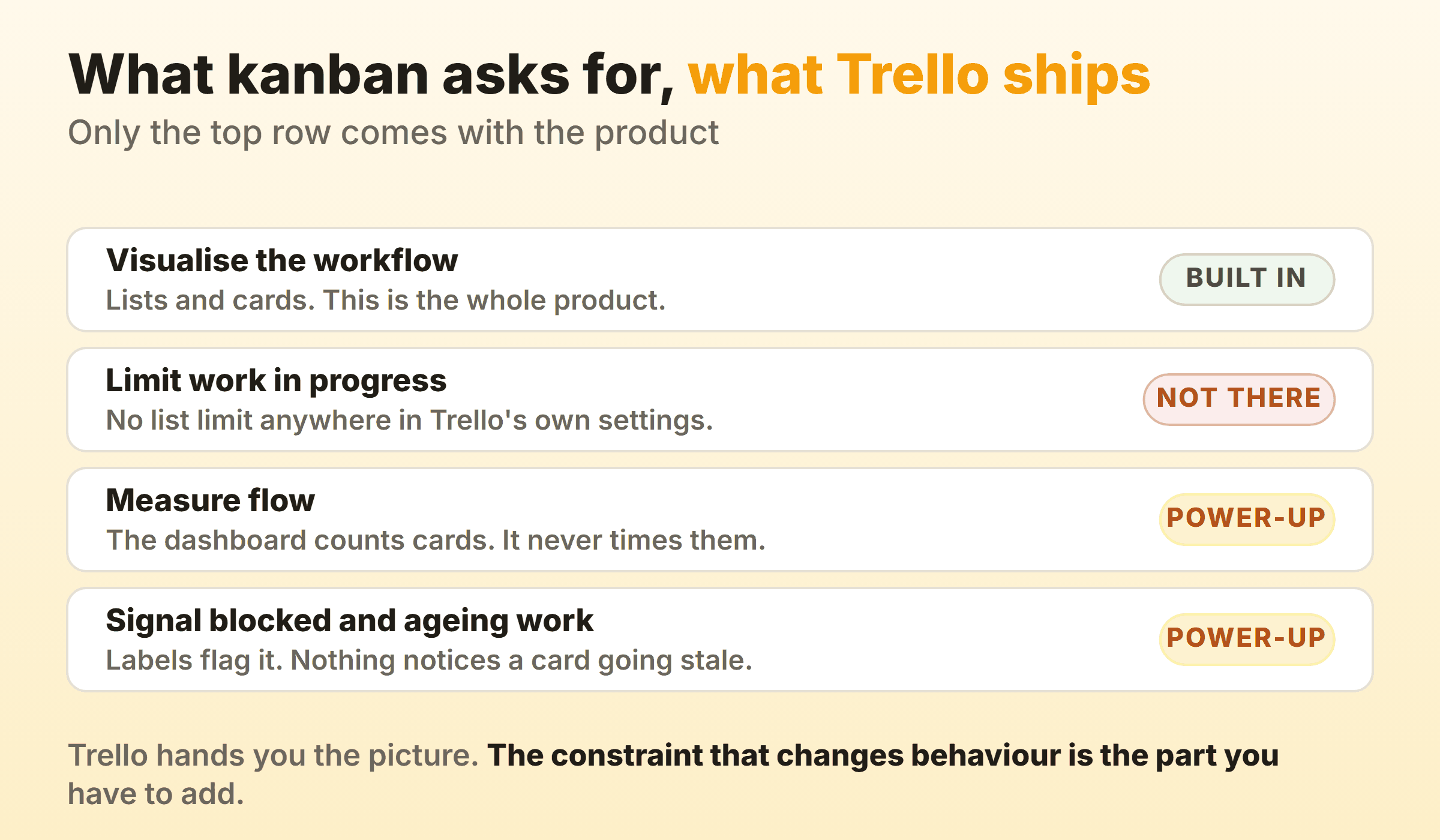
So the phrase “kanban vs Trello” compares a method to an app, which is like comparing recipes to a frying pan. Compare Trello to other tools. Compare kanban to scrum. Mixing the two categories is where most of the confusion in this topic starts.
Jim Benson and Tonianne DeMaria Barry boiled the method down to two rules in Personal Kanban: visualise your work, and limit your work in progress. Trello handles rule one beautifully. Rule two is entirely on you, and rule two is the one that makes anything finish faster.
I have watched both camps be wrong about this. Teams who insist Trello is not real kanban usually have nothing better running. Teams who say the distinction is pedantry usually have eleven cards in Doing and a delivery date they keep missing.
What Does the Trello Kanban Board Interface Look Like?
The Trello kanban board interface is three things nested inside each other. A board holds lists, a list holds cards, and a card opens into a detail panel that Trello calls the back. Learn those three words and the rest of the product explains itself.
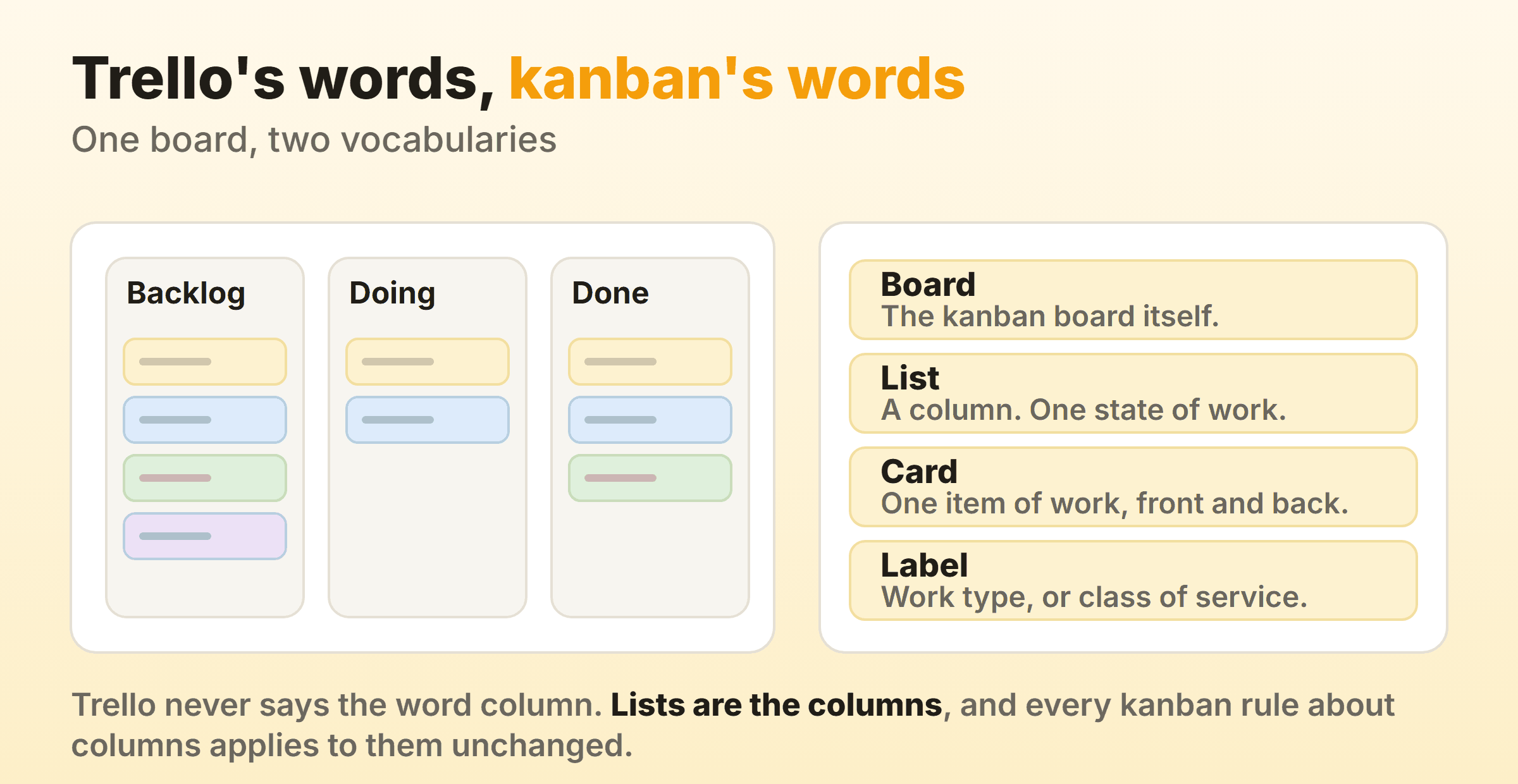
The vocabulary trips people up. Trello does not use the word column anywhere in its own interface, so every kanban article you read about column design is talking about what Trello calls a list. Same object. Every rule about naming and sizing columns applies without translation.
Board view is the kanban view, and it is the default. Trello also has table, calendar, dashboard and timeline views behind the same switcher above the board, with availability depending on your plan, so check the switcher on your own board rather than trusting a list. Cards drag between lists. Lists drag sideways to reorder. Trello’s own Trello 101 guide walks the basics with current screenshots, which is worth ten minutes if the interface is new to you.
What sits on the back of a Trello card
Open a card and you get a description, checklists, labels, members, due dates, attachments, comments and a full activity log. Checklists do the job of subtasks. Labels do the job of work type. Members do the job of an assignee.
One card should be one item of work that can cross the board on its own. The failure mode is the card that quietly turns into a project, with a forty-item checklist and a due date that has moved four times. When you find one, split it. A card nobody can finish this week is a card that will sit in Doing distorting everything you try to measure later.
Trello kanban boards on a phone
The Trello mobile app shows one or two lists at a time and you swipe sideways to reach the rest. Cards drag with a long press. It works, and it is genuinely usable on a train.
It also punishes wide boards. Eight lists on a phone is eight swipes to find anything, which is an underrated argument for keeping the board narrow. If your board is unpleasant on mobile, the board is probably too complicated on desktop too.
How Do You Set Up a Kanban Board in Trello?
You set up a kanban board in Trello by creating a board, throwing away the default lists, and naming new ones after the states your work actually passes through. That last part is the entire job. Everything else is decoration.
Work in this order.
- Name the lists after states, not people. In design, In review and Waiting on client all survive somebody going on holiday. Sarah and With QA do not.
- Retire To Do, Doing and Done on day two. They are a fine first sketch and a terrible permanent home, because a single Doing column hides every handoff and every queue in your process.
- Add a Ready list. A short, agreed queue between the backlog and the work gives you somewhere to say no, and it is where most of the value of a well-shaped backlog actually lands.
- Split a list when a handoff is hiding inside it. If work regularly stalls between finished-by-the-maker and finished-for-real, that is two states wearing one name.
- Use labels for work type, not priority. Bug, feature, chore, support. Priority changes hourly and labels do not.
Give it a fortnight before you redesign anything. Boards designed on a whiteboard on Monday almost never match how the work behaves by Friday.
An example Trello kanban board layout
This is close to where most small teams land once someone has pruned the board. Six lists, two of them capped, nothing clever.
| List | What belongs in it | Cap |
|---|---|---|
| Ideas | Anything anyone thought of. Only the top ten need real ordering. | None |
| Ready | Agreed, sized, and startable tomorrow | 4 |
| In progress | Someone is actively on it today | 3 |
| In review | Done by the maker, waiting on somebody else | 2 |
| Blocked | Waiting on the outside world, with a reason in the description | None |
| Done | Shipped this fortnight, then archived | None |
A separate Blocked list is a real trade-off and I go back and forth on it. It makes stuck work impossible to miss. It also lets stuck work sit somewhere comfortable, out of the way, where nobody has to look at it during standup. If your team ignores blockers, a label on the card in its real list works better, because the blockage stays visibly in the flow.
Should you colour the Trello lists?
List colours are a paid feature. Atlassian’s documentation on changing the colour of a list puts them in Standard, Premium and Enterprise Workspaces, with ten colours to choose from. Free Workspaces do not get them.
If you do have them, spend them on one thing rather than decorating the whole board. Colour is a scarce signal. The moment all six lists are different colours, none of them means anything, and you have spent your only visual channel on making a screenshot look nice. The pattern I would use: leave every list neutral and colour only the ones with a cap on them, so the constrained part of the board reads differently at a glance. On the free plan, do the same job with a coloured label on the cards themselves.
How Do You Set WIP Limits on a Trello Kanban Board?
You cannot set a WIP limit on a Trello kanban board using Trello alone. There is no list limit in the product’s own settings, on any plan, and this is the single biggest gap between Trello and kanban as a method.
Three Power-Ups fill it, and they are free to add:
- List Limits sets a maximum number of cards per list and highlights the list once the count goes past it. The simplest option and the right one for most teams.
- Kanban WIP by Corrello applies limits across several lists at once, which matters when In progress and In review should share one cap between them.
- Agile Tools by Corrello adds story points alongside per-list limits, if you are counting points rather than cards.
There is also a workaround that costs nothing and works better than it deserves to. Put the number in the list name. In progress (3). Trello will not enforce it, will not colour anything, and will not stop the drag. Neither will any of the Power-Ups, incidentally, because a WIP limit is meant to be a soft limit that provokes a conversation rather than a wall that blocks one.
That is the honest reason the workaround holds up. The number only ever worked because people agreed to look at it. A cap nobody mentions at standup does nothing whether a Power-Up is drawing it or not. Our WIP limits guide covers how to pick the number and what to do the first week the board starts banging into it. Start with one list, the busiest in-progress one, and set the cap near the number of people who work in it.
Trello’s built-in automation, Butler, is the other lever people reach for here. Free Workspaces get a capped number of command runs each month, so an automated nag when a list gets crowded is possible without paying, but not something you can lean on heavily. Current allowances are on Trello’s plan comparison.
What Reports Does a Trello Kanban Board Give You?
Trello gives a kanban board counts, not flow. The dashboard view charts cards per list, cards per label, cards per member and cards per due date, which tells you the shape of the board right now and nothing at all about how it got that way.
Nothing native measures time. No cycle time, no throughput trend, no cumulative flow diagram, no ageing report. For a method whose whole premise is that you improve by watching how work moves, that is a significant hole, and it is the part teams discover six months in when someone asks how long things take and nobody can answer.
| What you want to know | Where it comes from in Trello |
|---|---|
| How many cards are in each list right now | Dashboard view, nothing to install |
| Who is carrying the most work | Dashboard view, cards per member |
| How long a card took from start to finish | A Power-Up, or an export and a spreadsheet |
| Whether the board is getting faster or slower | A Power-Up |
| Which card has been sitting still longest | A Power-Up, or reading the board top to bottom every morning |
Time in List by Blue Cat is the cheapest way to start, because time-in-list is the raw ingredient for everything else. Corrello and Screenful go further and build the full chart set on top of your board. Whichever you pick, install it before you need the data rather than after, since none of them can reconstruct history from before they were switched on.
If you would rather do it by hand, export the board, record the date each card entered In progress and the date it hit Done, and read the eighty-fifth percentile rather than the average. Our kanban metrics guide explains why the average is the number that lies to you.
What Does Trello’s Free Plan Give a Kanban Board?
The free plan gives you a working kanban board with two caps that matter. Free Workspaces hold ten open boards, and Atlassian limits them to ten collaborators per Workspace. Cards are unlimited, so a single board never runs out of room.
Power-Ups are the good news. Trello removed the old one-Power-Up-per-board restriction on free boards in a 2021 pricing change, so the List Limits and reporting Power-Ups above are all reachable without paying Trello anything, though the Power-Up vendors set their own terms.
What free does not include: list colours, and a generous automation allowance. Neither is fatal for a small board. Plans move around, so treat every number here as a pointer to Trello’s own pricing page rather than gospel.
When Trello Stops Being the Right Kanban Tool
Trello stops being the right kanban tool at the point where you are stacking Power-Ups to rebuild features the method assumes you already have. One Power-Up for limits, one for cycle time, one for ageing cards, three vendors, three sets of terms, and a board that now depends on all of them.
It is the right tool when the board is genuinely the whole process, the team is small, and you value how fast it is to change your mind about the layout. Nothing else feels quite as light. I would not move a five-person team off Trello just to satisfy a definition.
The alternative is a tool that treats those things as part of the board rather than as add-ons. That is roughly why Kanbanee exists. A WIP limit is a checkbox and a number in the column menu, the badge shows count against limit and turns red over the cap, the drag is never blocked, and timers with a full time log live on the card. Cycle time, throughput and a cumulative flow diagram come with Pro at $6 a month or $48 a year. The free tier is two boards you own with unlimited members, which is narrower than Trello’s ten boards and deliberately so. The gaps are real too: no realtime sync yet, no API, and column reordering works on desktop only. If your team lives inside Atlassian and half your cards link to Confluence pages, stay in Trello and put the effort into a Power-Up instead.
FAQ
Is Trello free for kanban boards?
Yes. Free Workspaces run up to ten open boards with unlimited cards and up to ten collaborators, which is enough for a real kanban board rather than a demo. The limits worth checking before you commit are collaborator count and the automation allowance, both published on Trello’s pricing page.
Is Trello a kanban tool or a scrum tool?
Trello is a board tool that suits kanban far better than scrum. There are no sprints, no sprint backlog, no velocity and no burndown, and adding them means Power-Ups and conventions rather than product features. Teams running scrum in Trello usually end up with something closer to scrumban, whatever the ceremony calendar says.
Does Trello work for personal kanban?
Very well, and it is probably Trello’s strongest use case. One board, three or four lists, a strict cap on how many cards sit in progress at once. The cap is the entire point, and since Trello will not enforce it, write the number in the list name and hold yourself to it.
How many lists should a Trello kanban board have?
Between four and six for most teams. Fewer than four and a whole stage of work is hiding inside another one. More than six and the board stops fitting on a laptop screen, cards start ageing invisibly in the middle of it, and the phone app becomes miserable. Add a list only when work reliably waits in that state.
Can you export a Trello kanban board for reporting?
Yes, and the free plan is enough for it. Any board member can export a board to JSON on any plan, Free included. CSV is the format that needs Premium. What you get back either way is a flat list of cards with their list, labels, members and dates, and that is enough to calculate cycle time by hand once you have the date each card entered and left a list. List layout and board structure do not survive the trip.