
Kanban in Other Tools: Which Apps Already Have a Board View
Updated at
The Answer
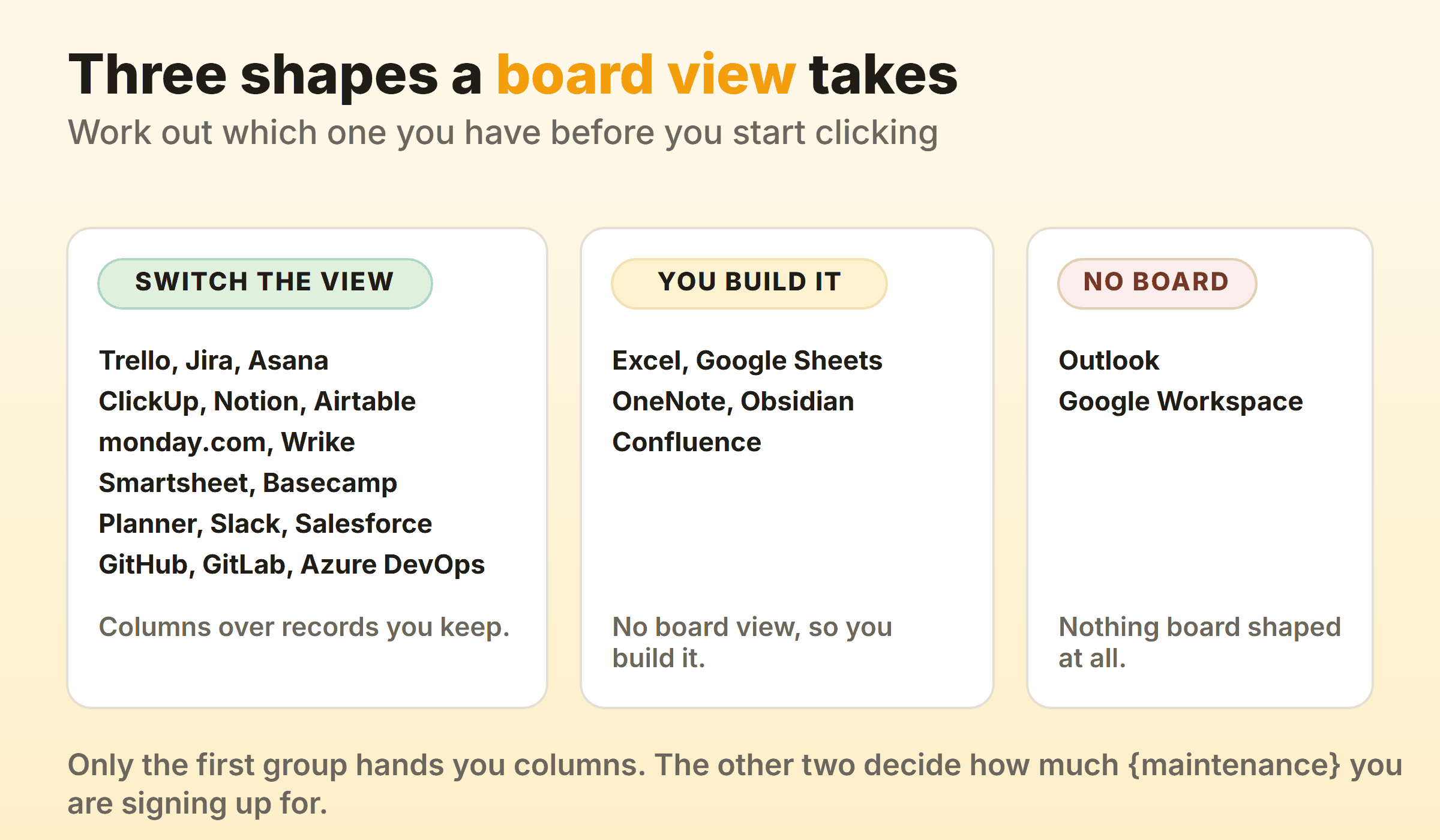
Kanban in another tool takes one of three shapes, and knowing which one you are dealing with saves an afternoon. Most work platforms ship a board view you switch on in a click, so Trello, Jira, Asana, ClickUp, Notion, Airtable, monday.com, Wrike, Smartsheet, Basecamp, Planner, GitHub, GitLab and Azure DevOps all draw columns over records you already keep. Spreadsheets and note apps have no board at all, so you build one from rows or a table and then maintain it yourself. A third group has nothing board shaped anywhere in it, which leaves moving the work to something that does. Each tool below has its own guide with the setup path, the tier that unlocks it and the point where the board stops being enough.
Tools That Ship a Board View
Switch the view and the board is there. What varies is whether the columns come from a status field, a label or a bucket, and whether anything caps them.
- Trello gives you the visible half of kanban and little of the half that changes behaviour.
- Jira maps each column to one or more workflow statuses, so a drag writes the status underneath.
- Asana files the board under board view, one layout among list, timeline and calendar.
- ClickUp builds columns from whichever field the view is grouped by.
- Notion turns any database into columns by one property, usually Status.
- Airtable stacks records into columns by a single field you pick.
- monday.com ships its Kanban View on every plan including Free.
- Wrike draws one column per status in the workflow behind the work.
- Smartsheet opens a sheet you already have as a board, so nothing gets migrated.
- Basecamp calls it the Card Table and carries it on every plan.
- Microsoft Planner makes every bucket a column and every task a card.
- Salesforce hides kanban inside the list view as a display setting.
- Slack ships a board and never calls it one.
- GitHub points a project view at a single select field and calls the result a board.
- GitLab builds its lists from labels, which explains most of its behaviour.
- Azure DevOps gives each team a board per backlog level, with real per column caps.
Boards You Build by Hand
No board view exists here, so the board is a thing you assemble. These hold up when the data already lives in the tool and nobody wants a second login.
- Excel makes every task a row and lets one Status column decide the stage.
- Google Sheets does the same with a Status dropdown per row.
- OneNote has no board to offer, so you draw one from a three column table and save it as a template.
- Obsidian runs kanban two ways, neither of them an app you log into.
- Confluence has no kanban macro, so a board there is always one of three other things wearing the name.
Tools With No Board of Their Own
The honest answer for these is to stop looking and route the work out to a board that exists.
- Outlook documents seven view types and none of them is a board, so kanban for Outlook means moving flagged mail somewhere else.
- Google Workspace ships no kanban board, and the routes inside it all end in another product.
By the Suite You Already Pay For
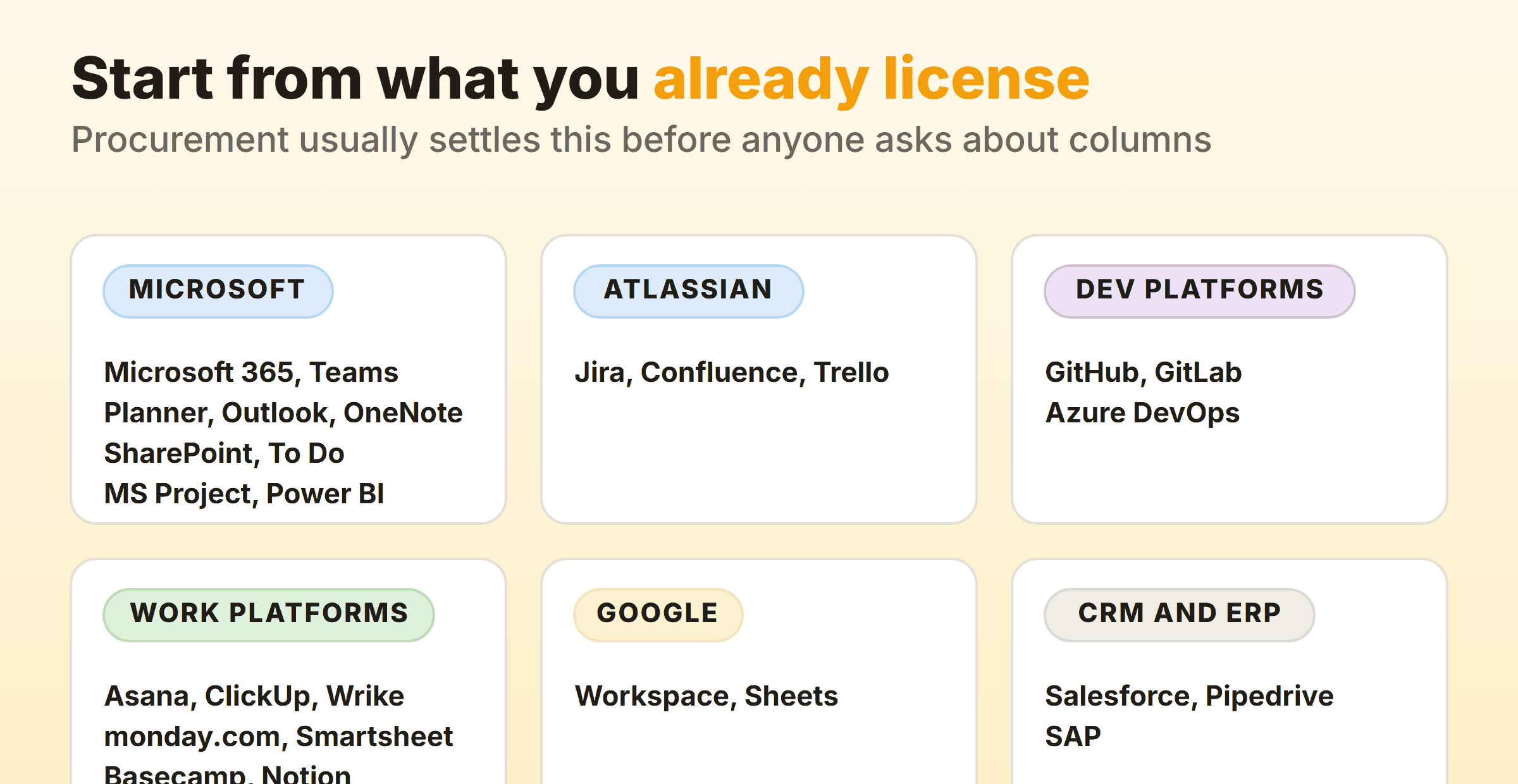
Procurement usually decides this before anyone asks about columns, so start from what is already licensed.
- Microsoft: the Microsoft 365 overview covers where a board hides across the suite, Teams covers getting one onto a channel tab, and SharePoint, Microsoft To Do, MS Project and Power BI each get their own page.
- Whiteboards and CRM: Miro for the template route and Pipedrive for a pipeline that is already a board.
- Manufacturing systems: SAP covers control cycles and replenishment rather than task cards, which is a different job with the same name.
What to Check Before You Settle for the Board You Have
Four questions separate a board that changes behaviour from a status display that people tidy before a meeting.
- Can a column carry a limit? Without a cap you have a wall of cards. Plenty of built-in board views have no limit anywhere, and a few put it behind a paid tier.
- Does anything measure time? Cycle time and a cumulative flow diagram are what tell you whether a change helped. Many bundled boards report on counts instead.
- Who is allowed to drag? View permissions and edit permissions differ in most platforms, and a viewer who cannot move a card will quietly stop using the board.
- What happens to the data if you leave? A board built on a field in your CRM travels. A board built from a plugin file does not always.
Where those answers come back thin, a dedicated board is the alternative. Kanbanee was built for the narrow case: per column limits that ship off by default and turn the badge red once you go over, with cycle time, weekly throughput and a cumulative flow diagram on Pro at $6 a month. The trade is honest, since you get a board and little else, with no realtime sync, no API and column dragging on desktop only.
FAQ
Does the tool we already pay for have a kanban board?
Probably, if it manages work. Every work platform in the first list above ships a board view, and what surprises people is how shallow it is: the board arrives without a work in progress limit or any measure of how long a card sat still.
Is a board view the same thing as kanban?
No. A board view draws columns. Kanban adds the rules that make the columns mean something, starting with a cap on how much sits in each one and an agreement about what finished means. A tool can hand you the first and leave the second entirely to you.
When is it worth moving to a dedicated kanban tool?
When you can name the thing the current board will not do. A missing per column cap and no cycle time are the two that actually change behaviour. Switching for a tidier interface usually buys a migration and very little else, which the guide to kanban alternatives works through in detail.
Which tools let a board and a gantt chart run over the same records?
Several of the work platforms above, since a board view and a timeline view are two ways of drawing one set of records. The kanban vs gantt comparison covers when each one earns its place and why teams who buy both rarely open the second.